Everything it does, just by asking.
KesherOS runs full screen over macOS. AI agents work in your apps for you. You talk to one assistant, and it checks with you before anything important.
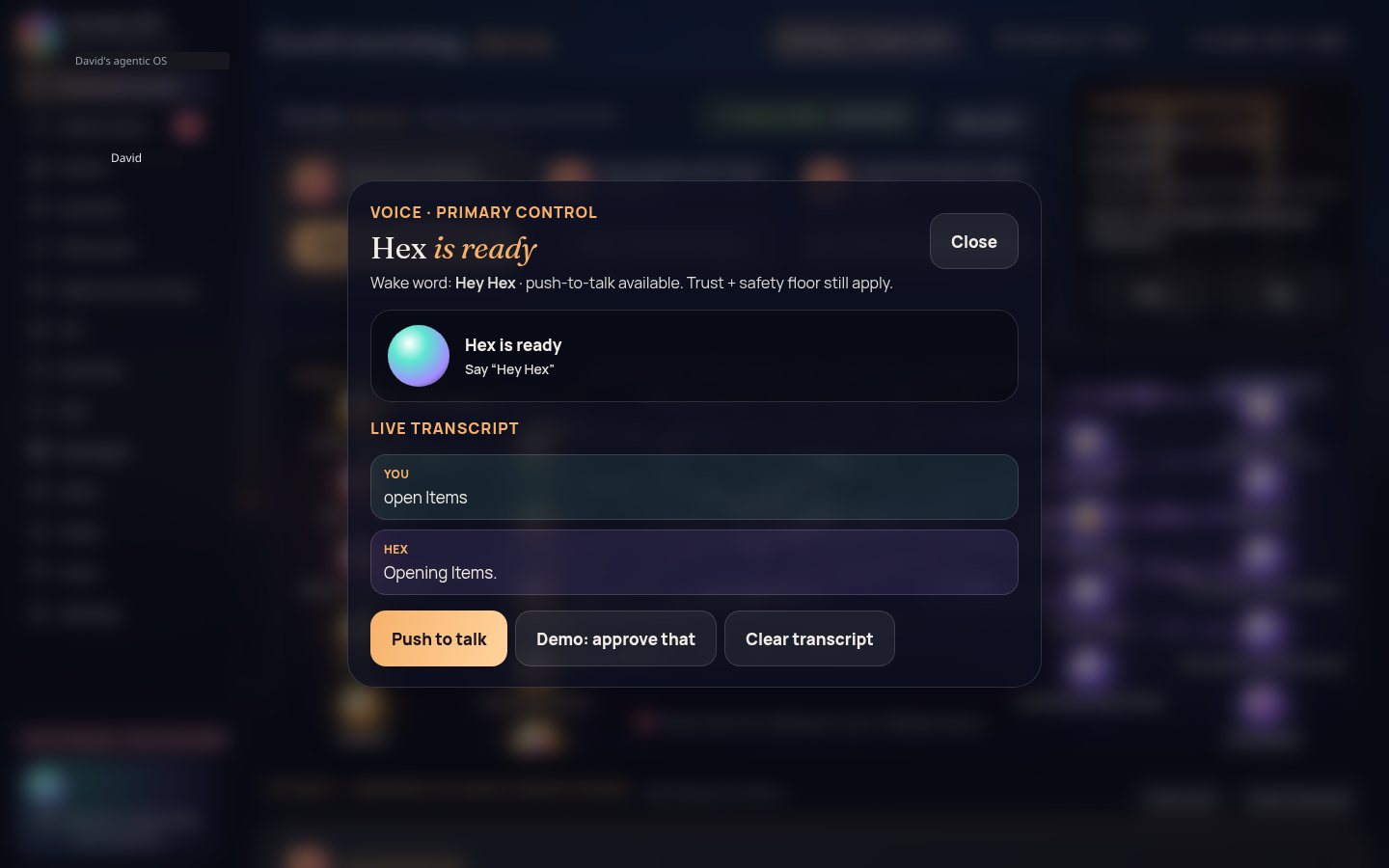
Say “Hey Hex.” Or any name you choose.
Voice runs the whole OS. Your assistant reads your morning brief and end-of-day wrap out loud, and anything risky waits for your spoken yes.
- “Open Items,” “approve that,” “have an agent start it”
- Push-to-talk or wake word; tapping always works
- Your trust level and safety rules still apply
Email becomes Items.
Connect any number of Gmail, Outlook, iCloud or IMAP accounts. Only the mail that matters shows up, grouped by subject into cards with a status and next steps.
- Draft reply, snooze or turn it into a task
- Each Item is tied to one of your goals
- Nothing sends without your approval
Confirm Shabbat guest list
Final count still open. Hex can draft the note to the host.
Reply to the shul board
Dinner logistics need a short yes/no and a headcount.
Measurable targets Hex optimizes for
Where you are now → where you want to be → by when.
Learn Daf Yomi 5 days/week by Pesach
Family dinner 4 nights/week
Save $10k by Dec 2027
Goals you can measure.
Setup asks about your life, not your settings: family, health, faith, money, time and work. Each answer becomes a goal with where you are now, a target and a deadline.
- One question per screen, like a conversation
- Progress and check-ins on the Goals page
- The dashboard ranks work by your biggest gaps
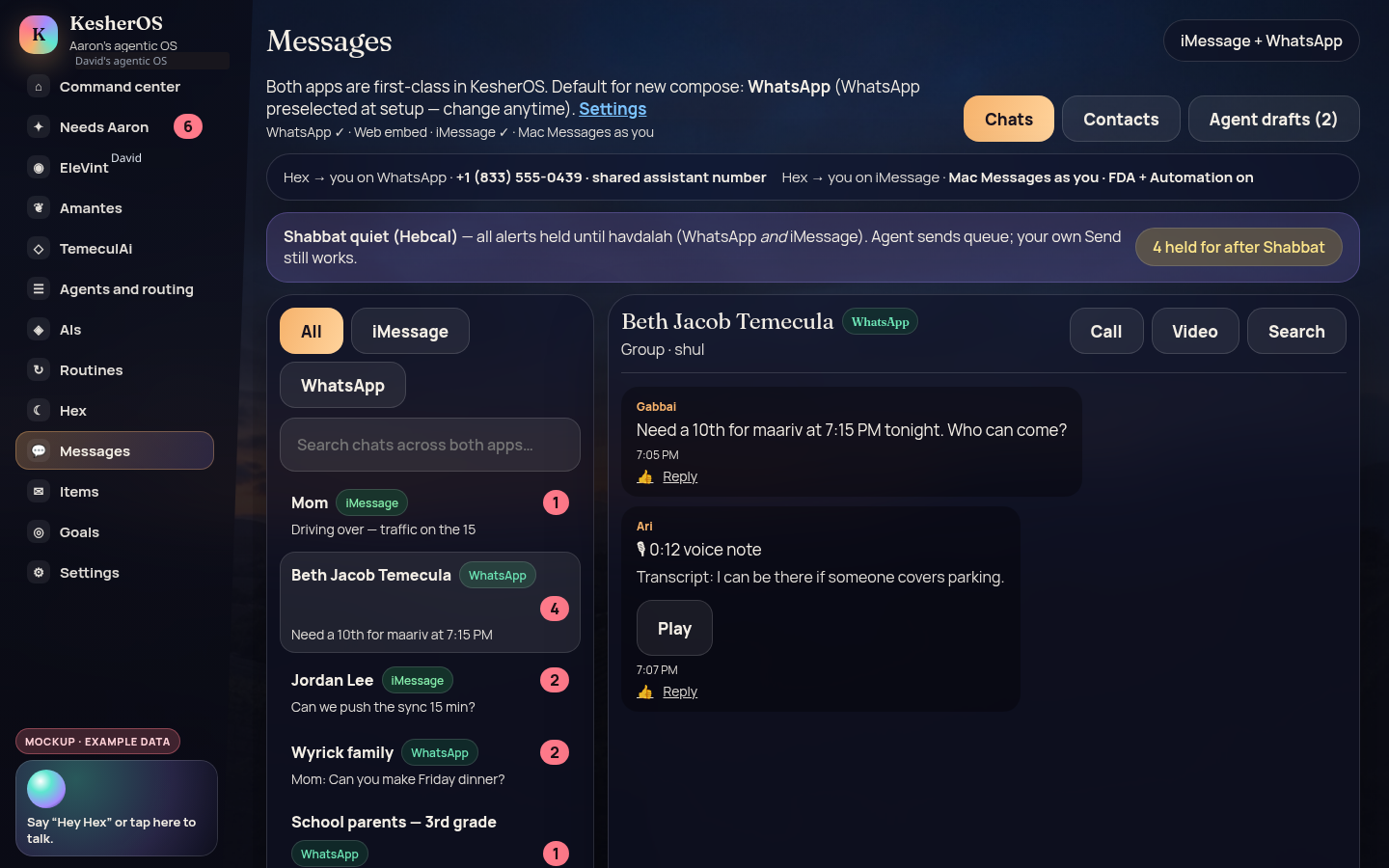
WhatsApp and iMessage, one inbox.
Your WhatsApp opens right inside the OS. iMessage sits next to it. Both are first-class, and WhatsApp is the default in KesherOS.
- Pair WhatsApp Web with a QR code
- Your assistant can text you on either app
- On Shabbat, alerts from both apps wait until havdalah
Four great AIs. Zero setup.
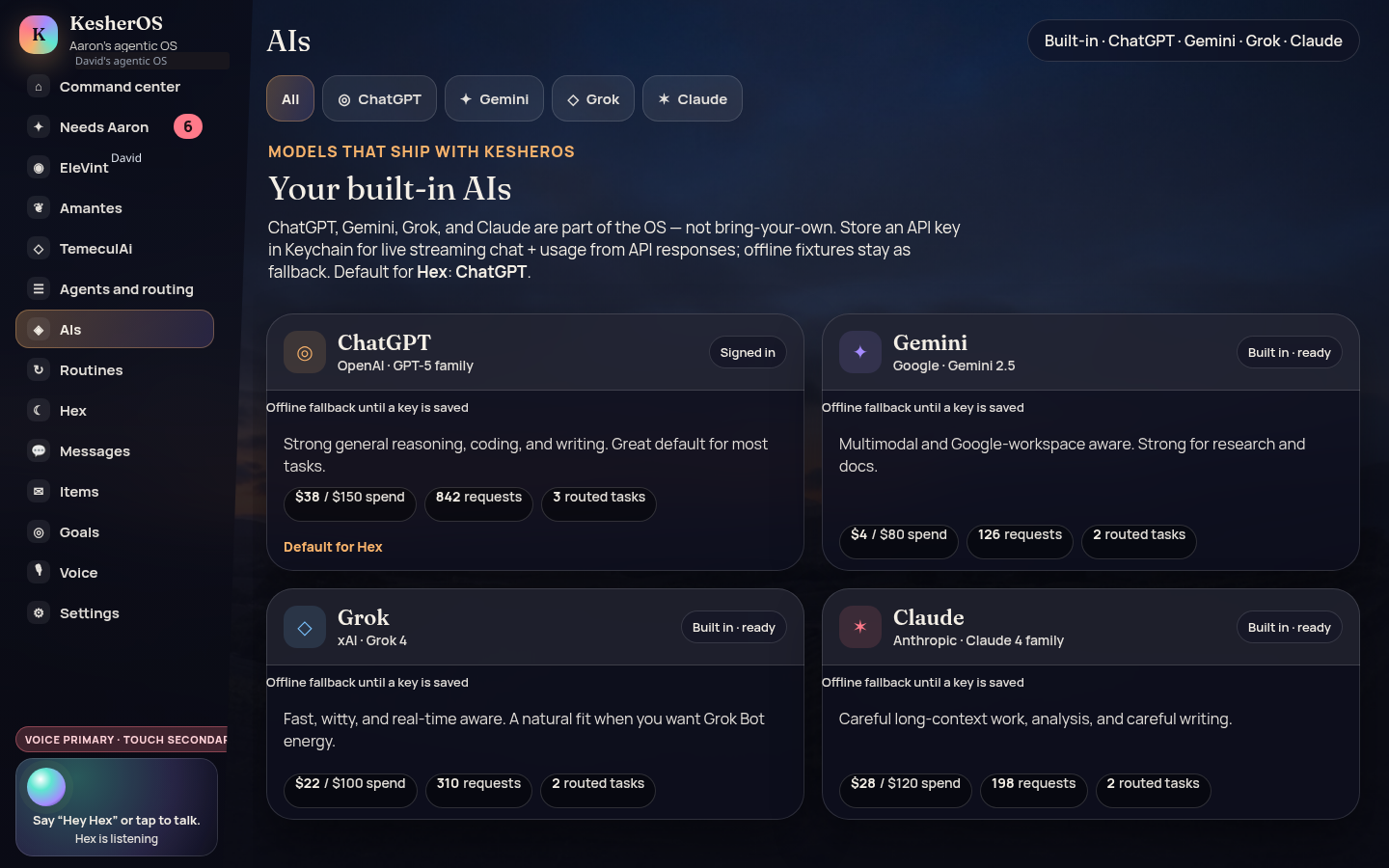
ChatGPT, Gemini, Grok and Claude are built in, each with its own page for chat, spending and the jobs it handles. Already pay for one? Sign in and KesherOS uses your account.
- Jobs go to whichever AI fits best
- Spending and job counts at a glance
- Keys stay in your Mac’s Keychain
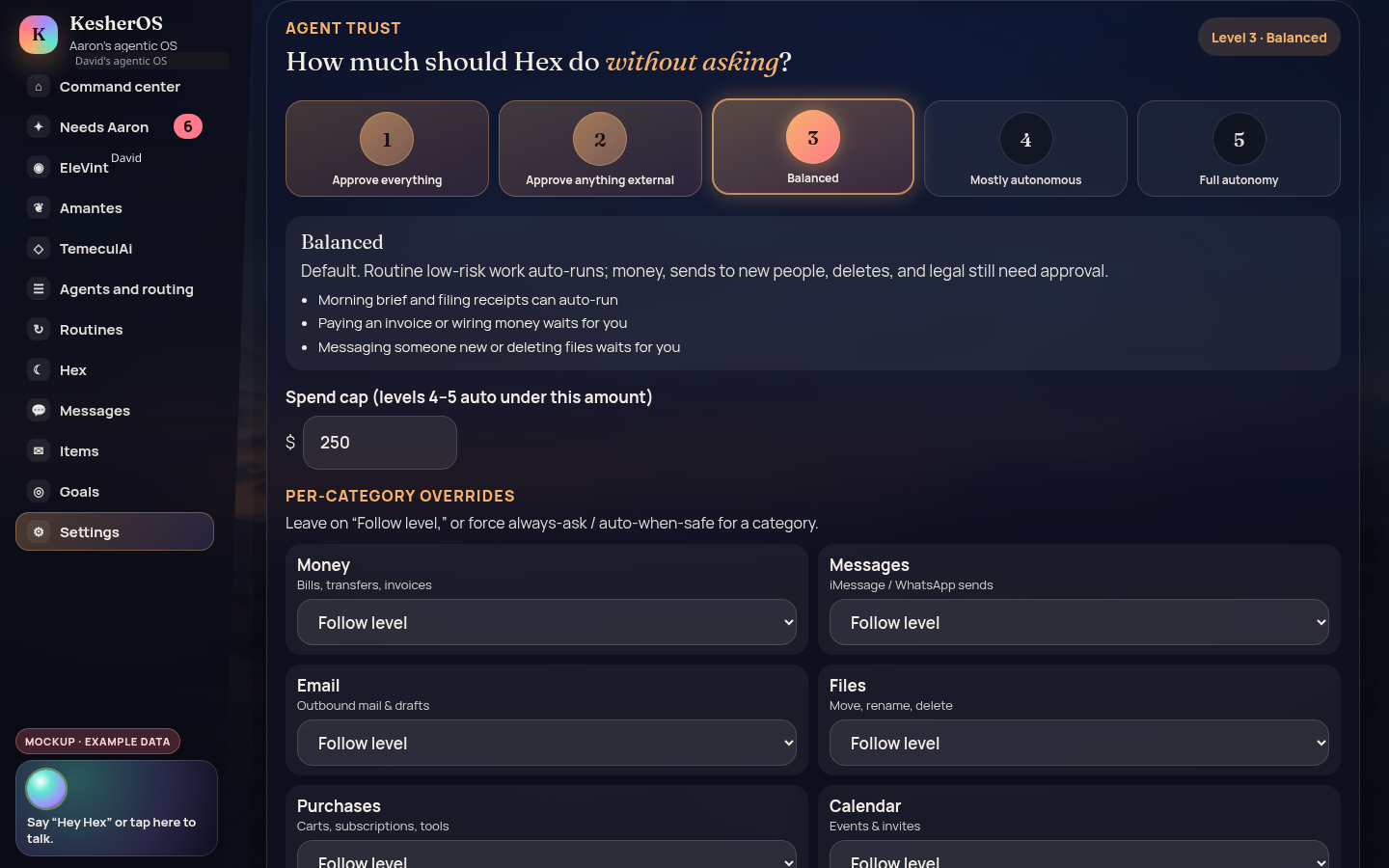
Trust that grows at your pace.
A five-step trust slider
Choose anything from “approve everything” to full autonomy. Set rules by category and a spending cap. Some safety rules can never be turned off, and every action can be undone.
Setup that starts with you
A guided setup connects your AIs, email, WhatsApp and voice. If you don’t have an assistant yet, it helps you create and name one.
Tool Scout
Suggests software that would help with your to-dos. Only from official sources, and only installed when you say yes.
Morning brief, evening wrap
Start the day with what needs you and end it with what got done, read aloud if you like.
Help when you’re stuck
Notices when a task stalls and offers a tiny first step, an agent to get it started, or a 10-minute focus slot.