Shabbat stays quiet. Torah stays close.
KesherOS keeps your Shabbat and the Jewish calendar. It also helps you see your weekday work in the light of the parsha.
From candle lighting to havdalah.
Times are examples. KesherOS gets your city’s times from Hebcal.
Erev Shabbat
Your afternoon brief comes early and lists what’s still open before candles.
Candle lighting
Alerts go quiet. WhatsApp and iMessage alerts wait, and agents queue their sends.
Menuchah
Nothing pings. The screen shows a calm Shabbat view with a count of held alerts.
Havdalah
Everything comes back sorted by what matters, with a short recap of what waited.
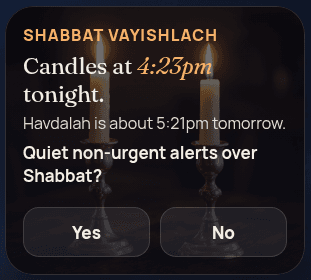

Before Shabbat, KesherOS asks if you want non-urgent alerts held. During Shabbat, a banner shows how many are waiting for after havdalah.
What does our tradition say about this?
Ask about any task on your list. KesherOS starts with this week’s parsha and brings in Tanakh, Mishnah, Rashi, Rambam and Zohar, each with the source cited and a plain-English connection to your day.
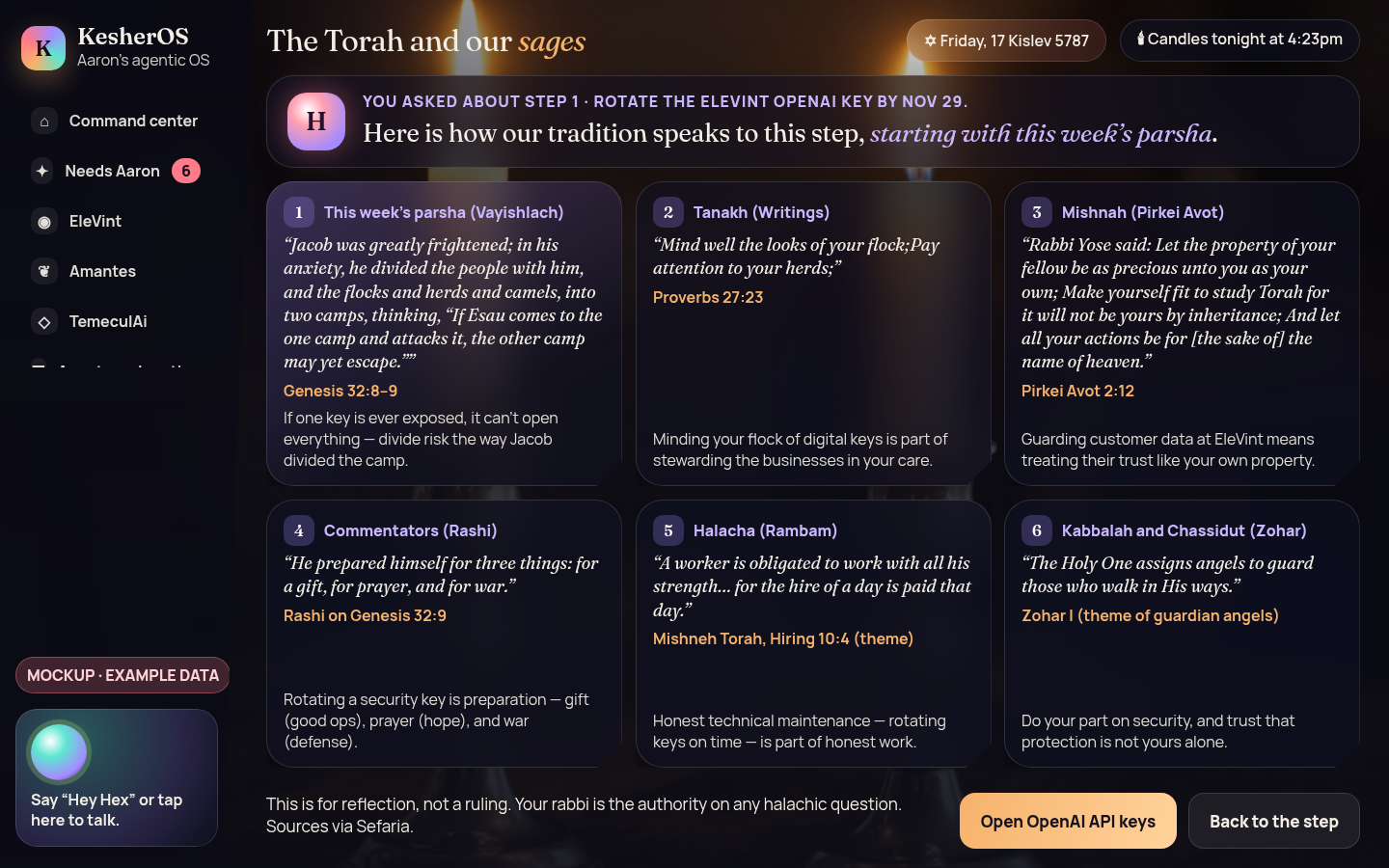
Texts from Sefaria. This is for reflection, not a ruling. Ask your rabbi any halachic question.